
Selected work / Creative tools
From an idea to something you can use.
A generated image, a voice sample or a screen recording is a beginning. My creative tools explore the whole journey: making a choice, hearing or seeing it in context, revising it and keeping a result that serves its audience.
The product is the creative journey
I build these tools partly because I want to use them. Voice, visual composition, typography and the rhythm of an explanation interest me in their own right. They also expose a product problem: impressive model output does not necessarily make a usable creative instrument.
Someone needs to compare alternatives, understand what changed and keep the version they chose. A collaborator needs enough control to express an intention without becoming the operator of a complicated generation pipeline. Those are design responsibilities alongside the choice of model.
Voices: hear the choice in your own words
Voices is a local-first speech studio for Apple Silicon. It can create a synthetic reference voice, work from an audio reference or record a voice, then use a saved voice to speak new text. The browser studio and command-line interface share the same underlying workflows and library.
The important interaction is auditioning real lines. A voice description is an intention; the performance tells you whether it fits. I made reusable voices and side-by-side comparison central: hear the same passage in different voices, choose the character that serves it, then keep that voice for new material. The speech engine has been used for actual walkthrough narration.
Local images: a direct path from brief to output
Mac-local-image provides local image generation and editing through a browser workbench, command line and a familiar image API. Its Apple Silicon path uses Qwen-Image-2.1 with MLX. The installed service keeps generated images with their request details and has no cloud fallback.
I chose to make generation and editing one coherent product. Start with an idea or bring images with specific roles: an object to preserve, a material to borrow, a composition to change. Set the intended output, make the image and inspect it. Keeping the result with its request details makes it possible to return to a choice instead of losing it in a stream of anonymous generations.
Walkthrough: show the actual product
Walkthrough brings browser exploration, recording, narration and editing together. The starting brief is a product, an audience and an intent. The author works with the real interface and turns that interaction into a reviewable film, with retained material for revision.
I directed the experience around what a viewer needs to follow: what goes in, what someone does, what changes and what they take away. Camera movement, pacing and voice belong to that explanation. The viewer should see the real interaction unfold, with enough continuity to understand cause and effect.
The package has produced a complete film and supported revision from retained material. That matters because a change to framing or narration should not require repeating actions in the product. The film and its editable composition are both useful results.
Deck Studio: shape the argument before the slides
Deck Studio begins with the audience, purpose and substantive content, then develops narrative and visual form. A live presentation and a document meant to be read need different density and pacing. The tool supports rendered HTML and PDF decks, revisions and a retained release in its library.
I keep content decisions and visual decisions connected. A beautiful slide that removes a consequential qualification is a worse explanation. Conversely, preserving every source sentence can bury the argument. The product needs to support editorial judgment, not simply apply a theme to text.
Making room for visual form
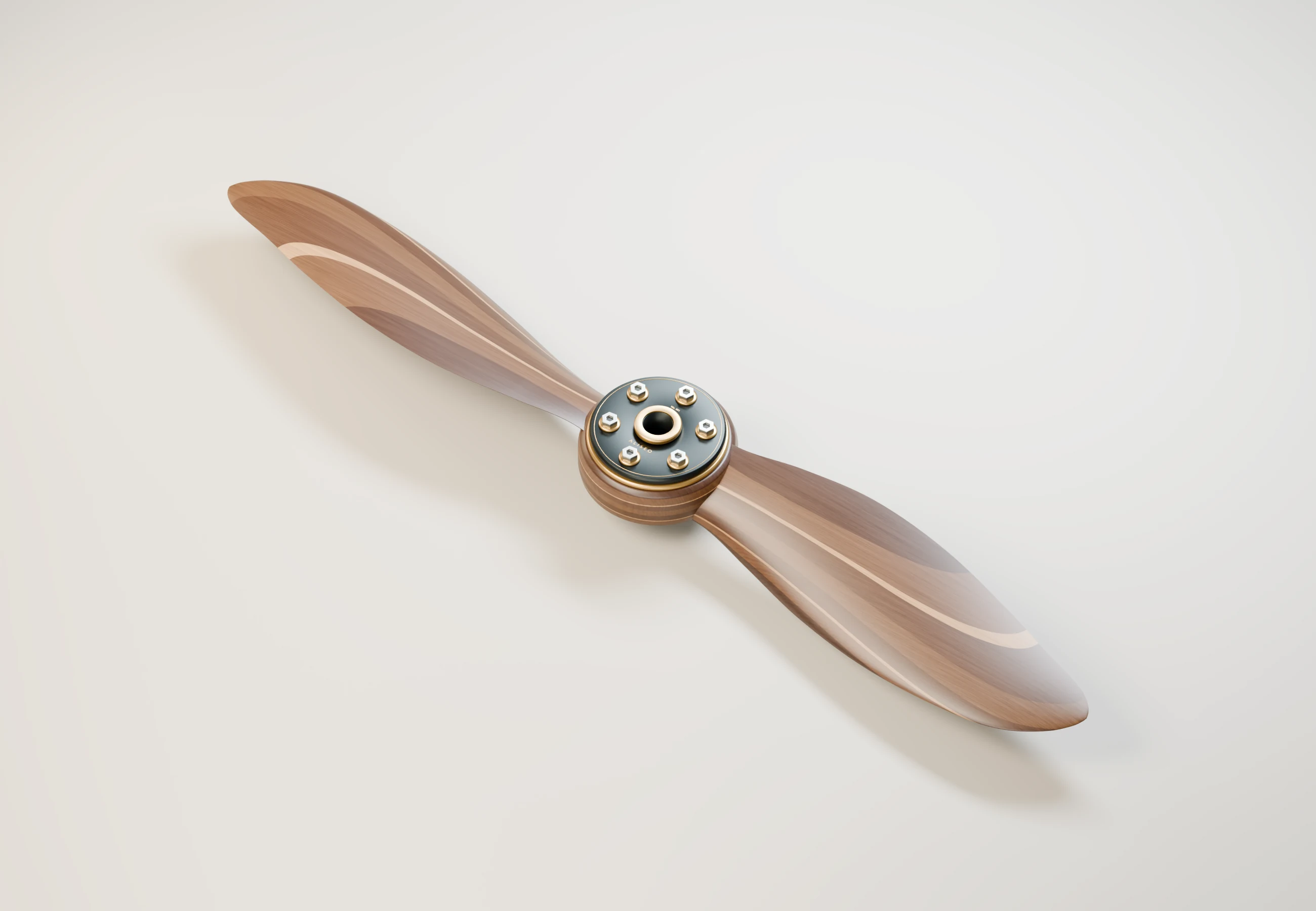
Alongside the tools, I commission and direct individual studies in form and materials. ALISEO explores a wooden propeller through walnut and maple, brass and burnished titanium. It is an authored procedural Blender study, with an editable scene behind the image, separate from the image-generation tool above.
One standard across different media
What connects these complementary tools is my standard for completion: the result must work in its intended medium, remain available for use and revision, and be judged by what a person actually sees or hears.